Last Updated: September 2026
About the Author: This guide was written by a content creator who has been testing online earning platforms since 2023. I have personally registered, written, and published articles on Sixlytics to understand its earning system.
This is Part 2 of a three-part series. If you haven't read Part 1 yet, start here: Part 1 — What Is Sixlytics and How to Register.
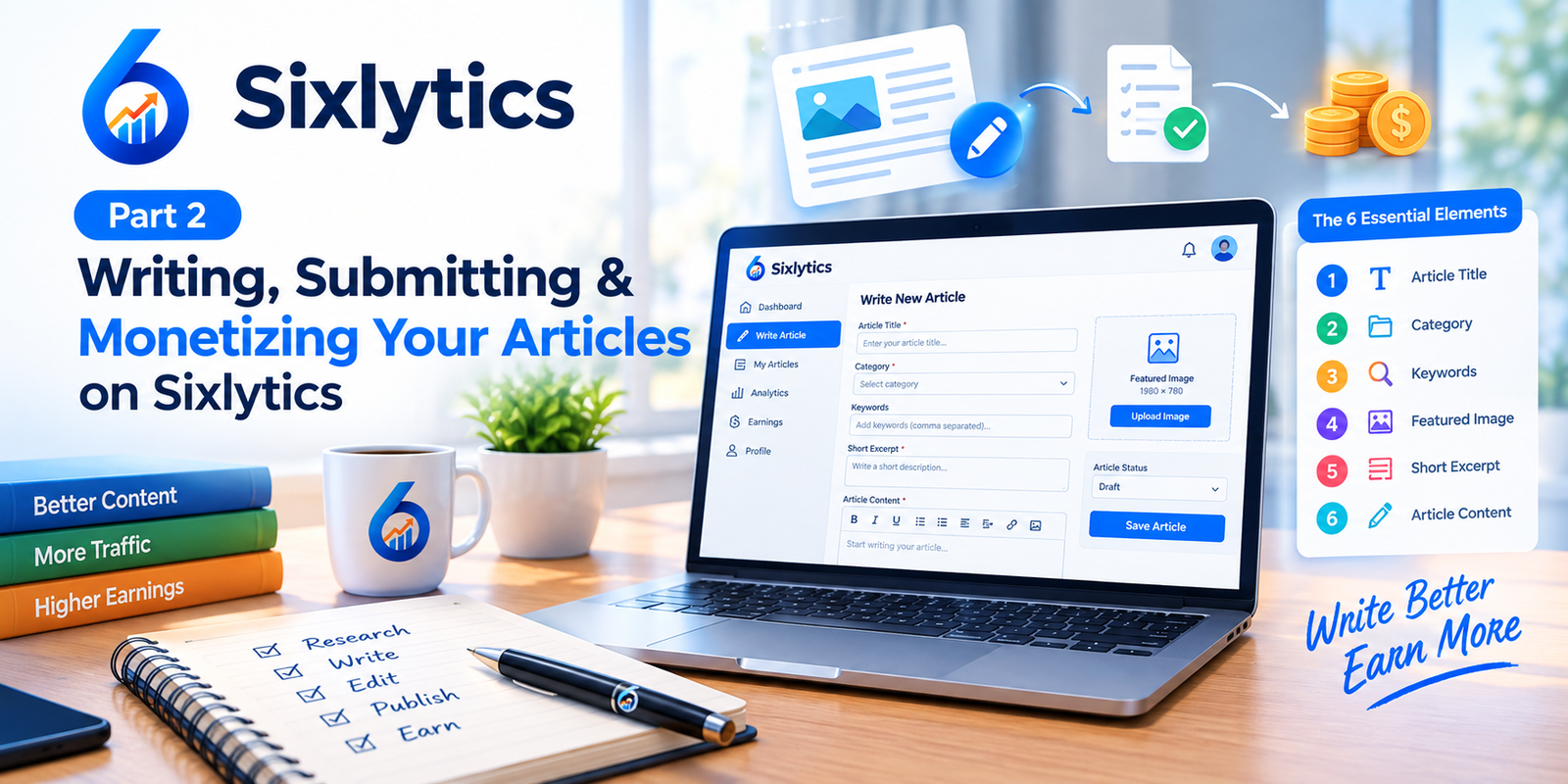
Writing Your First Article: The 6 Essential Elements
From your dashboard, click your Profile icon in the header. Select Write Articles from the dropdown menu. The article editor opens.
Here's what each field does and how to fill it properly.
1. Article Title
Your title determines whether anyone clicks your article. It needs to clearly describe the topic, contain relevant keywords, and compel readers to click.
Bad Title: "My Thoughts on Writing"
Good Title: "How I Earned My First $10 on Sixlytics: A Beginner's Guide"
Formula I use:
[Number] + [Adjective] + [Noun] + [Benefit]
Example: "7 Proven Strategies to Earn More from Your Sixlytics Articles"
2. Article Category
Select the most appropriate category. This affects discoverability.
| If You Write About... | Choose Category... |
|---|---|
| Personal experiences | Personal Development |
| Technical tutorials | Technology |
| Health advice | Health & Wellness |
| Financial tips | Finance |
| Creative writing | Fiction/Poetry |
My Experience: I published two articles in the wrong category. They got zero views. When I switched to the correct category, views increased within 48 hours.
3. Keywords
Keywords help search engines understand your article.
How I choose keywords:
- Think about what someone would type into Google
- Use specific terms, not generic ones
- Aim for 3-5 keywords per article
Warning: Don't stuff keywords. Google detects it. Use them naturally.
4. Featured Image
Sixlytics requires a specific resolution: 1980 × 780 pixels.
Where I find legal images:
- Unsplash (free, high-quality)
- Pexels (free, no attribution required)
- Pixabay (free, extensive library)
- Canva (for creating custom graphics)
Critical: Ensure you have rights to use any image. Copyright infringement can result in article rejection.
5. Short Excerpt
The excerpt appears in previews and search results. It's your article's elevator pitch.
Example:
"Discover how Sixlytics pays both writers and readers. Learn the exact steps to start earning from your content — even if you're a complete beginner."
6. Article Content
This is where the real work happens. Your content determines whether readers stay, engage, and share.
My Writing Process:
- Research — I spend 30 minutes researching the topic
- Outline — I create a rough outline with headings
- Draft — I write the first draft without editing
- Edit — I revise for clarity, flow, and grammar
- Format — I add headings, bullet points, and images
- Review — I read it aloud to catch errors
The Do's and Don'ts of Sixlytics Content
Do's
| Guideline | Why It Matters |
|---|---|
| Write at least 500 words | Meets platform minimum |
| Write original, unique content | Duplicate content gets rejected |
| Select appropriate category | Improves discoverability |
| Use relevant images | Increases engagement |
| Include keywords naturally | Helps search engines |
| Use proper headings/subheadings | Makes content scannable |
Don'ts
| Guideline | Consequence |
|---|---|
| Don't copy from other websites | Article rejection |
| Don't provide false information | Damages credibility |
| Don't write illegal/prohibited content | Account termination |
| Don't use copyrighted images | Legal issues |
| Don't add excessive advertisements | Policy violation |
| Don't use irrelevant keywords | Hurts SEO |
My Experience: My first article was rejected because I used a copyrighted image. I replaced it with an Unsplash image and resubmitted. It was approved within 24 hours.
Submitting Your Article for Review
Once your article is complete:
- Locate the Action dropdown menu
- Select Submit for Review
- Click the Submit button
Timeline: In my experience, review times ranged from 12 hours to 3 days. Most articles were processed within 48 hours.
Understanding Writer Monetization
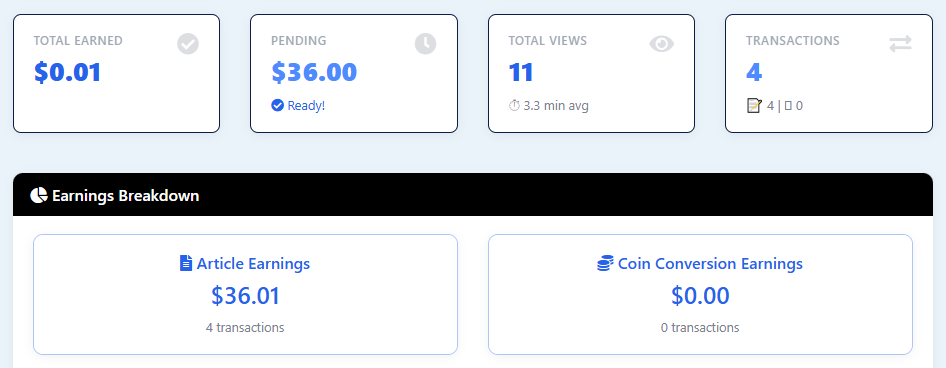
Publishing an article doesn't automatically mean you start earning. Sixlytics has a monetization approval process.
Steps to Monetization
- Open the Monetization option from your profile dropdown menu
- Complete all tasks listed on the Monetization page
- Apply for monetization
- Wait for Sixlytics Team review
My Experience: I applied for monetization after publishing 5 articles. The approval took 4 days. I received an email confirming my account was monetized.
Realistic Expectations: In my first month after monetization, I earned approximately $12 from 8 articles. This is not a full-time income, but it's a start.

Important: Withdrawal methods and minimum thresholds are subject to Sixlytics' applicable terms. Check the withdrawal page for current requirements.
What's Next?
In Part 3, I cover the reader earning path (getting paid to read), a full platform comparison, tips to maximize earnings, common mistakes, and my final verdict on whether Sixlytics is worth your time.
Continue reading: Part 3 — Reader Earnings, Platform Comparison, and Final Verdict
Missed Part 1? Read Part 1 — What Is Sixlytics and How to Register
Disclosure: This article is based on my personal experience with Sixlytics. Earnings mentioned are not guaranteed. Platform features, earning rates, and policies are subject to change.


Comments (0)
No comments yet. Be the first to comment!