In the medical field, time is not just money—it is often a matter of life and death. For pathologists, lab managers, and clinic owners, the daily grind involves a delicate balance between accuracy, speed, and patient care. Yet, many diagnostic centers in Pakistan still rely on outdated methods: handwritten registers, Excel sheets, and manual report typing.
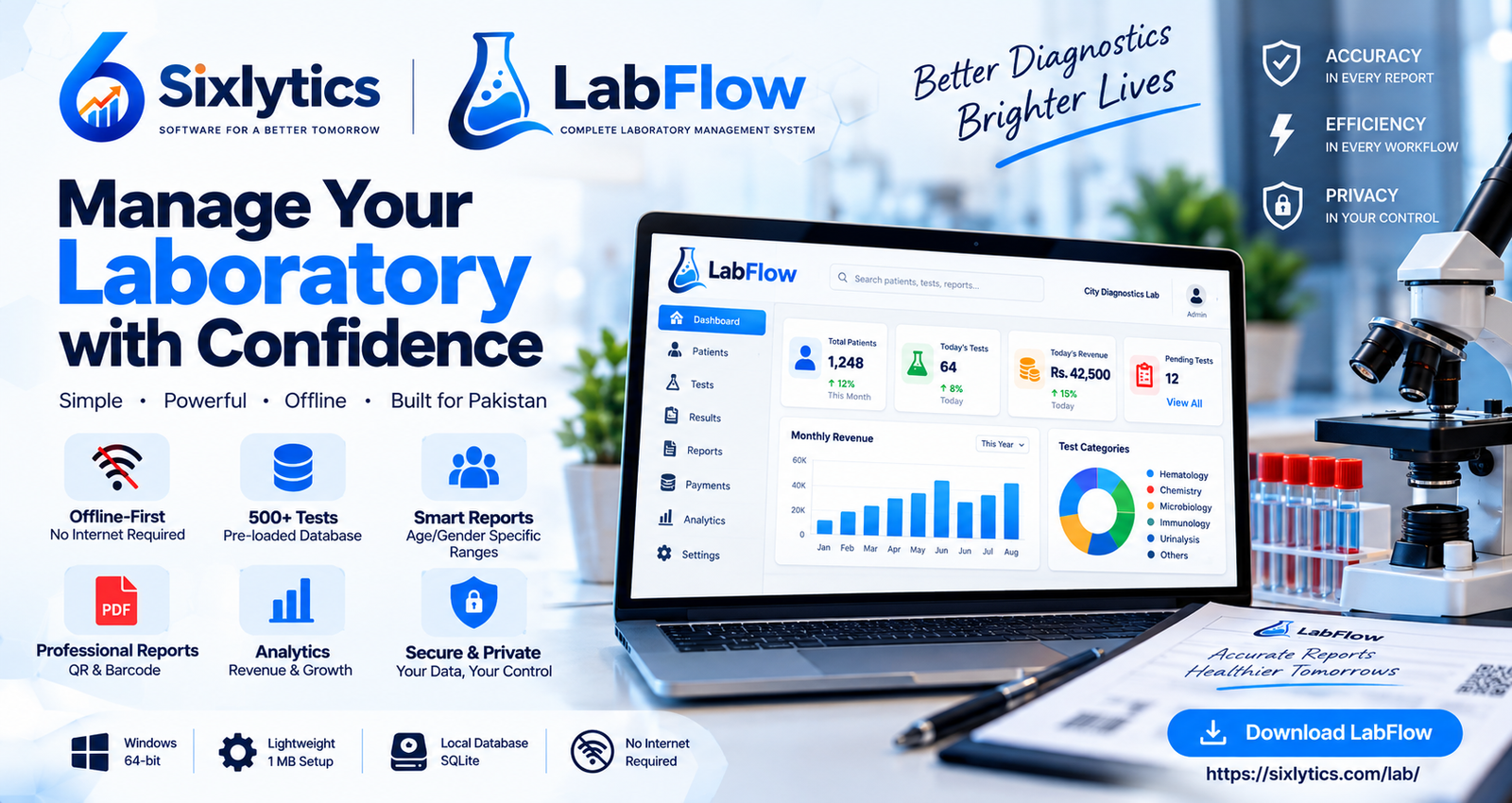
This is where technology steps in. Specifically, Laboratory Management Systems (LMS) are transforming how medical labs operate. One such tool making waves in the industry is LabFlow, a powerful, offline-first laboratory management system developed by Sixlytics.
But what exactly makes a tool like LabFlow a game-changer for a medical practice? Let's dive deep into the features that are reshaping diagnostic workflows.
The Problem with Traditional Lab Management
Before we discuss solutions, it is important to understand the pain points. A typical busy lab in Pakistan faces several challenges:
Data Chaos: Patient records scattered across registers make it nearly impossible to retrieve historical data quickly.
Report Errors: Manual typing of reports leads to typographical errors, especially when dealing with complex reference ranges that differ by age and gender.
Revenue Leakage: Without a digital tracking system, it is difficult to monitor daily revenue, pending tests, and outstanding payments.
Internet Dependency: Many cloud-based software solutions require a stable internet connection. In a country where power outages and connectivity issues are common, this can halt operations entirely.
Privacy Concerns: Sending sensitive patient data to a third-party cloud server raises valid privacy and security concerns.
Enter LabFlow: A Solution Built for the Modern Lab
LabFlow was designed with these exact challenges in mind. It is not just a software; it is a complete digital ecosystem for your laboratory. Here is how it stands out.
1. Offline-First Architecture: The Ultimate Reliability
The most striking feature of LabFlow is that it is offline-first. Unlike many modern SaaS (Software as a Service) products, LabFlow stores all data locally on your device using SQLite. This means:
No Internet Required: You can run your lab even during a complete internet blackout.
Speed: Local data retrieval is instantaneous. No waiting for pages to load.
Data Ownership: Your patient data stays on your computer. You own it, and no third party can access it.
2. A Massive Database of 500+ Pre-loaded Tests
Imagine having a library of over 500 medical tests ready to go. LabFlow comes pre-loaded with tests across Hematology, Chemistry, Microbiology, Immunology, and Urinalysis. This eliminates the need to manually enter test parameters, saving hours of setup time and reducing human error.
3. Smart Reports with Age/Gender-Specific Ranges
One of the most common sources of error in manual reporting is applying the wrong reference range. A normal hemoglobin level for a man is different from that of a woman or a child. LabFlow's intelligent system automatically adjusts reference ranges based on the patient's age and gender. This ensures that every report is clinically accurate and professional.
4. Professional PDF Reports with QR & Barcode
In the digital age, patients expect professionalism. LabFlow generates high-quality PDF reports that include:
QR Codes & Barcodes: For easy tracking and verification.
Customizable Branding: You can adjust fonts, colors, and margins to match your lab's unique brand identity.
Instant Sharing: Reports can be printed or shared digitally with ease.
5. Real-Time Analytics and Revenue Tracking
For clinic owners, the business side of medicine is just as important as the clinical side. LabFlow provides a comprehensive dashboard that shows:
Total number of patients.
Today's tests and revenue.
Historical data and trends.
This allows you to make data-driven decisions to grow your practice.
6. Secure and Private
In an era of data breaches, LabFlow's local storage model is a fortress. Since there is no cloud storage, your data is immune to online hacking attempts. It is just you and your patient's information, securely stored on your own hardware.
How to Use LabFlow: A Step-by-Step Guide
Getting started with LabFlow is simple and straightforward. Whether you are a tech-savvy pathologist or someone who prefers traditional methods, LabFlow's intuitive interface makes the transition smooth. Here is a complete step-by-step guide on how to use LabFlow in your diagnostic center.
Step 1: Download and Install LabFlow
The first step is to download LabFlow from the official Sixlytics website. Visit https://sixlytics.com/lab/ and click on the download button. LabFlow is available for Windows (64-bit) and requires only about 1 MB of space. Once downloaded, run the setup file and follow the on-screen instructions to install the software on your computer.
Step 2: Activate Your License
After installation, open LabFlow. You will need to activate your license to unlock all features. If you already have a license key, enter your UID and Device ID on the license activation screen. If you don't have a license yet, you can get one directly from the Sixlytics website. The process is instant, and you will receive your license key via email.
Step 3: Set Up Your Lab Profile
Once activated, the first thing you should do is set up your lab profile. This includes:
Lab Name and Logo: Enter your diagnostic center's name and upload your logo. This will appear on all patient reports.
Contact Information: Add your address, phone number, and email so patients can reach you easily.
Report Customization: Adjust fonts, colors, and margins to match your brand identity. LabFlow offers full customization so your reports look professional and unique.
Step 4: Add Patients to the System
LabFlow makes patient management incredibly easy. To add a new patient:
Click on the "My Patients" section from the dashboard.
Click the "Add New Patient" button.
Enter the patient's details including name, age, gender, contact number, and medical history.
Save the record. The patient is now in your system, and you can retrieve their history anytime with just a few clicks.
Step 5: Select Tests and Enter Results
Once a patient is registered, you can proceed to select the tests they need:
Search from over 500+ pre-loaded tests across categories like Hematology, Chemistry, Microbiology, Immunology, and Urinalysis.
Select the required tests for the patient.
Enter the test results. LabFlow automatically applies the correct age and gender-specific reference ranges, so you don't have to worry about manual errors.
Step 6: Generate and Print Professional Reports
After entering the results, generating a report takes just one click:
Click on the "Generate Report" button.
LabFlow creates a high-quality PDF report with your lab's branding, QR code, and barcode.
You can print the report directly or share it digitally with the patient via email or WhatsApp.
Step 7: Track Revenue and Analytics
LabFlow's dashboard provides real-time analytics to help you manage the business side of your lab:
View today's total tests and revenue.
Track pending tests and outstanding payments.
Analyze historical data to identify trends and growth opportunities.
Step 8: Backup Your Data Regularly
Since LabFlow stores all data locally on your device, it is important to back up your data regularly. You can copy the LabFlow database file to an external hard drive or USB drive. This ensures that your patient data is safe even if your computer crashes.
Who is LabFlow For?
LabFlow is designed for:
Independent Diagnostic Centers: Who need a robust system without the high cost of enterprise software.
Clinics with In-house Labs: Who want to streamline their patient-to-report workflow.
Pathologists: Who want to focus on diagnosis rather than administrative paperwork.
System Requirements: Lightweight and Accessible
You do not need a supercomputer to run LabFlow. The requirements are minimal:
OS: Windows (64-bit) supporting .NET 10.0
Processor: Intel Core i3 or equivalent
RAM: 4 GB (8 GB recommended)
Storage: 500 MB free space
Internet: Not required
This makes it accessible even for smaller setups with modest hardware.
User Testimonials: Trusted by Professionals
The best validation comes from those who use it daily. Dr. Sarah Ahmed, a Pathologist at City Lab, states, "LabFlow has transformed our laboratory operations. The comprehensive test database and professional reports have impressed our patients."
Dr. Muhammad Khan, a General Physician, adds, "Affordable, offline, and packed with features. The age/gender-specific ranges are a game-changer for our clinic."
Ayesha Malik, Lab Manager at a Diagnostic Center, shares, "The report customization options are incredible. We adjust fonts, colors, and margins to match our brand. Patients love the QR codes."
Conclusion: The Future is Digital and Offline
The medical field in Pakistan is evolving. To stay competitive and provide the best patient care, embracing technology is no longer optional—it is essential. LabFlow by Sixlytics offers a perfect blend of modern features, data security, and offline reliability.
If you are still managing your lab with paper registers, it is time to upgrade. Visit the official LabFlow page to download the latest version, explore the features, and get your license key:
Your patients trust you with their health. Trust LabFlow with your lab's management.


Comments (0)
No comments yet. Be the first to comment!